

Circles were becoming a problem
At the end of my last Art Notes post, I said circles were going to become a blocker if I didn’t get a handle on them.
That wasn’t an exaggeration.
When I first plunged into making assets for Box Directive, I knew I wanted corner radius, arches and circles in general. Every time I made a machine, I would have to redraw each curve and go back and forth to make sure it matched another side. I think I always knew I’d need some kind of system to manage this, but nothing is quite as sobering as finding out first-hand that if I wanted consistency, I needed to stop and focus my efforts on making a system I could actually reuse.
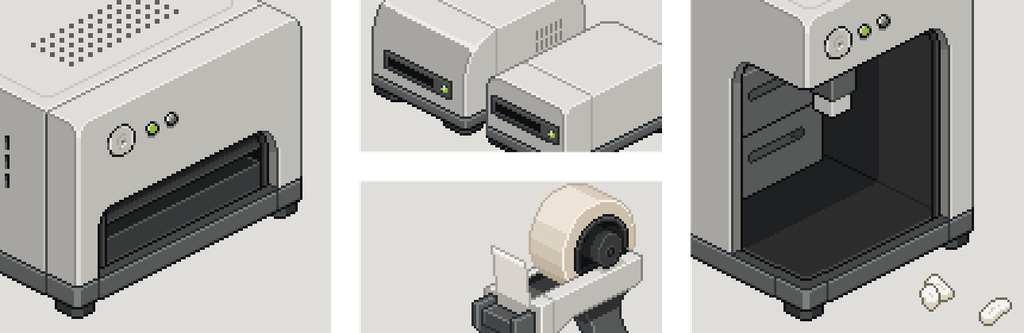
At first, I didn’t think I’d need many circles. I thought I’d make a few consistent corner radii, maybe a couple of arches, and that would be enough. But the more I worked, the more I saw uses for them everywhere.
I wanted different shapes for the machines so they weren’t all just blocks. A cylinder might work for one machine. A curved consumable might slot into the top of another. Even on objects or machines that didn’t have any circles at all, I started seeing how circles could still be useful.
I remember distinctly thinking: what if I used a circle as a pivot so the catalogue could lean against the computer? Even a simple block would immediately feel more organic because it wouldn’t just be sitting perfectly upright like everything else.
Surely a circle can be systematic?
So I started researching.
I tested different theories and found one that gave me a somewhat workable method, but it relied heavily on winging it until it looked right.
I like reliable systems to work from, and to me a circle is mathematical in nature. Surely there had to be a method that was accurate, scalable and repeatable.
Eventually I found a YouTube tutorial by Davit Masia that felt like the breakthrough I had been looking for. It gave me a system that worked for the side-facing circles, and for the first time I felt like I had found something that could scale into a proper library rather than a one-off trick.
That was a huge win.
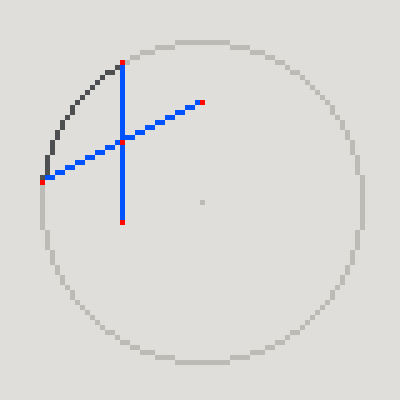


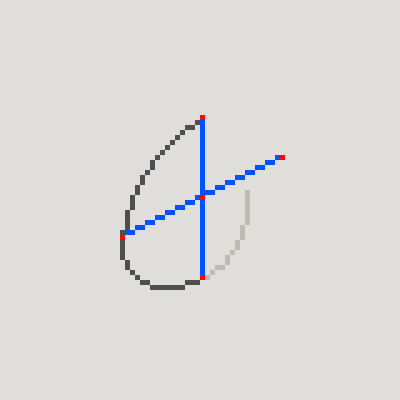
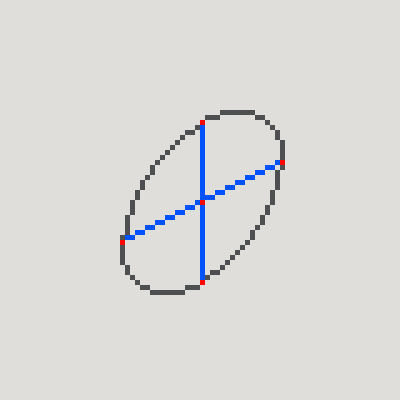
The first real breakthrough was finding a repeatable method for the side-facing circles.
Then came the top face
My next and biggest problem was the top-face circle.
Everything I tried either sort of worked or completely fell apart. The closest I found was a picture tutorial by Jeremy, which had an interesting four-arcs method that got me most of the way there. I tried to enhance it, adapt it and remove the guesswork, but in the end I couldn’t truly crack it. I could get close, and I could get something that looked right, but at the last stage I often found myself debating where exactly I should cut the arcs and what I should keep.
And that was the problem.
I wanted a system that would tell me exactly what to do and give the same answer every time. Instead, I kept ending up back in the same place as the original tutorial: making a judgement call. One pixel one way looked better. Another pixel looked cleaner. It became less about a formula and more about preference.
That will forever annoy me.
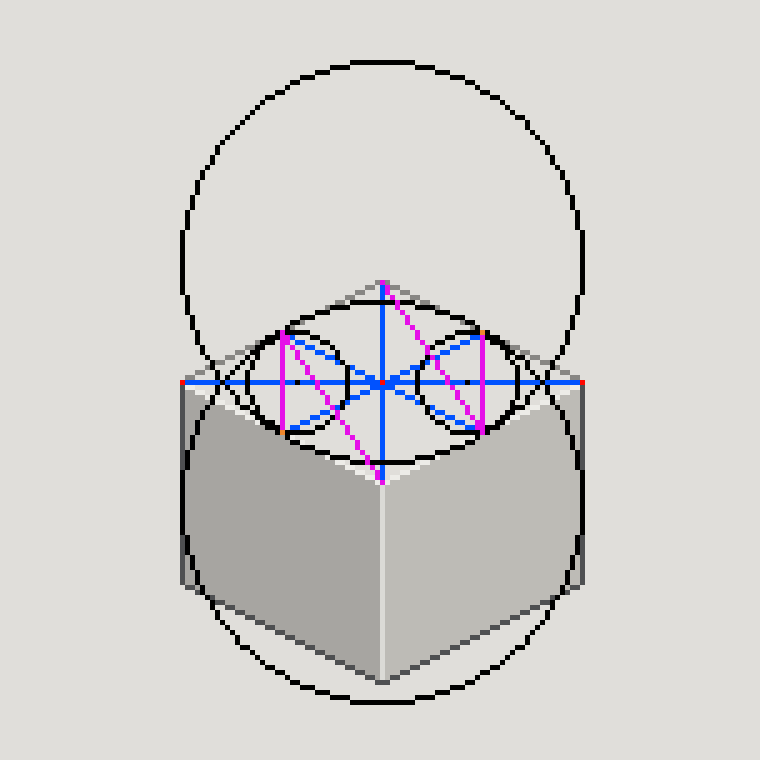
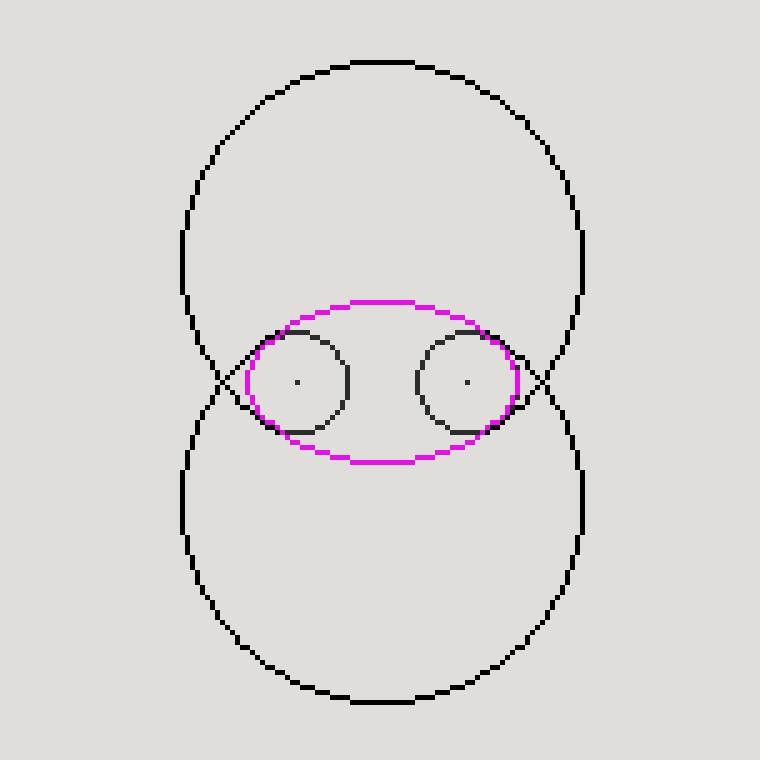
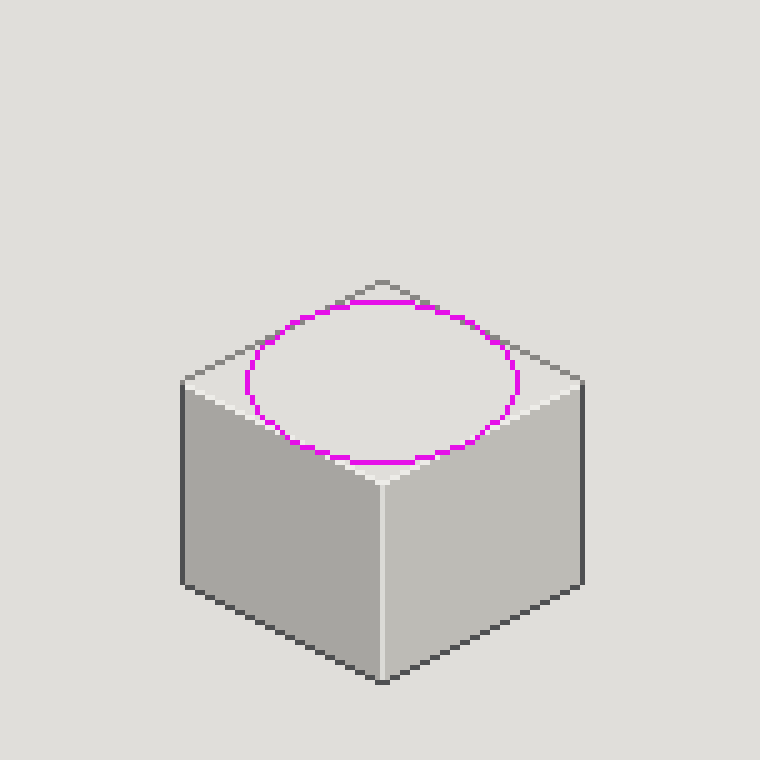
I can make a top-face circle that looks good, but I never found the deterministic system I wanted.
At some point I had to accept that “perfection is the enemy of good” and move on.
Then I realised the foundations were wrong
But before I got to that point, I hit an even bigger problem.
While building out the side-facing circle library, I was documenting my process as I went. I like to do something a bit like rubber duck debugging when I design – basically, I make a step-by-step tutorial of what I’m doing. It slows me down and forces me to work through each stage properly. I was about halfway through when I sent a screenshot of my mini tutorial to my co-founder. That was when I noticed the very first step was wrong.
The circle wasn’t symmetrical.
Even though I had measured the canvas area and made sure the circle touched all four sides, some of the pixels were different quarter by quarter. The primitive I had trusted as the starting point wasn’t actually reliable.
That realisation hit me like a tonne of bricks.
I had no way of knowing which of the circles in my system were right, because I hadn’t saved the original states. I had already chopped them up to make the side-facing versions. That meant I had to redo all of them.
Annoying? Absolutely.
But I’m very glad I caught it then rather than halfway through producing the game assets. Since everything was going to be based on these foundations, I really wanted to get it right. It also felt obvious that putting the effort in now would save me time later.
Starting again – properly this time
So I rebuilt the entire library from scratch.
Again, I used the rubber duck debugging approach, but this time I turned it into a proper checking process.
Every circle had to pass through three stages:
- Straight from Source – the circle generated by the application.
- Symmetry Correction – I would zoom out, decide which quarter of the circle looked the cleanest, then copy and mirror it so it touched all four sides correctly.
- Corrected Circle Geometry – my final validation stage, where I added divider lines and central points to make sure the circle was correct before using it in anything else.
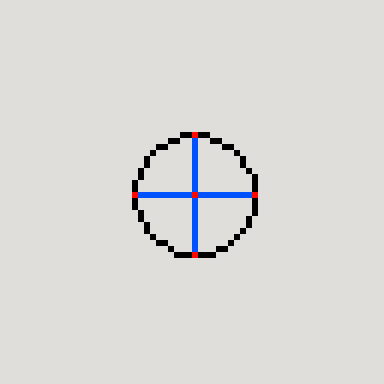
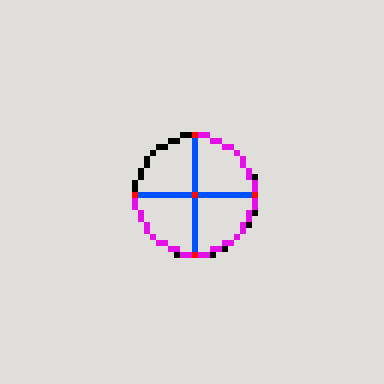
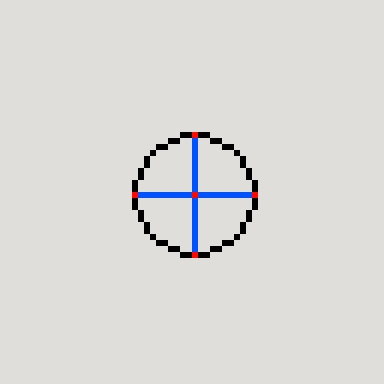
I did this for all 22 circles in the library.

Once the master circles were trustworthy, things started to feel much better.
It was reassuring having a clean foundational asset list and knowing the basics were covered and correct – or at least correct to my own standards and rules.
Because I had already built some of these before the restart, I knew the method and I could move through them a lot faster. I knew I only had to do one side-facing version and mirror it to get the other, which immediately sped things up.
From circles to a foundation library
From there I started expanding the foundation library.
The cubes needed a lot of lines and reference points added – maybe too many.
At the smaller sizes, half the pixels felt like they were corners, centres, core points and midpoint markers. But those markers helped me visualise each cube in 3D space, and that made them worth it.
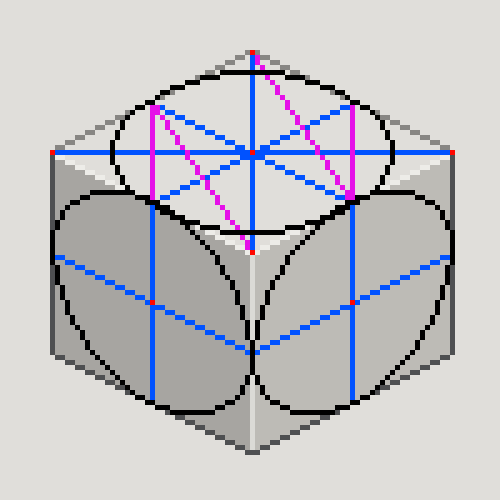
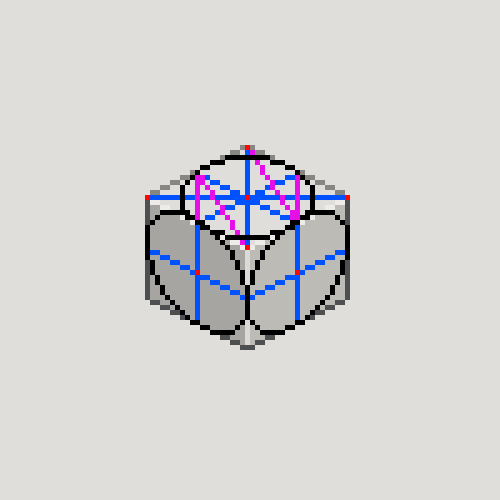

The top-face circles still took the longest because they required judgement calls at the end. Each one needed a great deal of thought and decision making, which is exactly what I had hoped to avoid.
Surprisingly, the vertical cylinders were a breeze to work through, and by that point I needed a win. So I completed all of those first. Then I moved on to the cubes again, this time as a much cleaner version without all of the helper lines visible. After that I tackled the horizontal cylinders, which were more time-consuming because they involved matching up two circles at either end and then building out the middle section.
I think I’ve done them right, but this is where I’ve had to keep reminding myself that if I stare at the work long enough, I will always find something else to tweak.
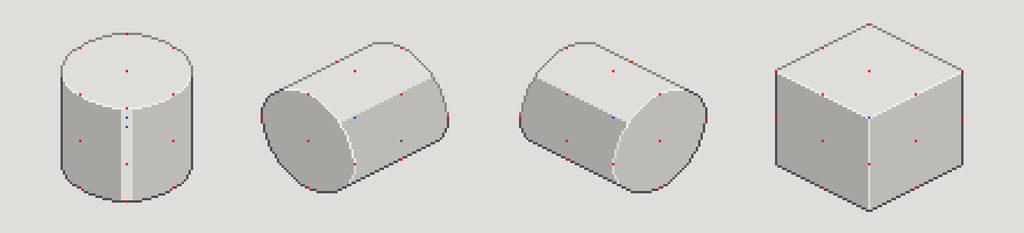
Knowing when to stop
One conscious decision I made was knowing when to stop. The larger sizes only became wireframed assets because they were either helper circles or going to be used as pivots. They didn’t need the full suite of derived shapes. That was an important line to draw for myself.
Just because I could keep building out every possibility didn’t mean I should.
The system needed to support the game. The game didn’t need to become an excuse to build an exhaustive geometry library.
Then we needed a robot
And then the system got properly tested.
Jamie and I had been struggling to work out how we wanted automation to happen in Box Directive. We knew we wanted it, but without resorting to magic or some over-the-top sci-fi explanation, we weren’t really sure how it would work. While doing some aesthetic research into 80s computers, I stumbled across an advert for an old Omnibot, and it clicked immediately:
A helper robot. A crude, wheeled, chunky little robot felt perfect.
I messaged Jamie, we bounced a few ideas around, and agreed it was the direction we wanted to go in. I needed to drop something into the blockout scene to make sure it actually fit, so I started out using the peanut dispenser as a rough size reference because it was close to what we wanted. Then I needed to refine it so we could properly visualise it in the space.
Okay, that was a lie.
I wanted to test my system and build a ROBOT!
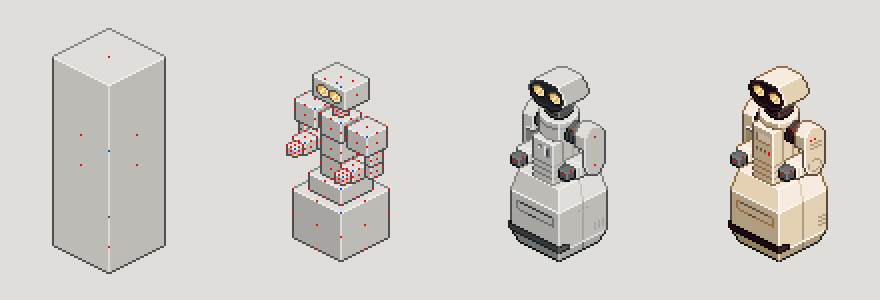
I knew adding a robot also meant more animation work, multiple views and articulated anatomy.
So that’s how I built GARY – Goods Automation Replaces You.
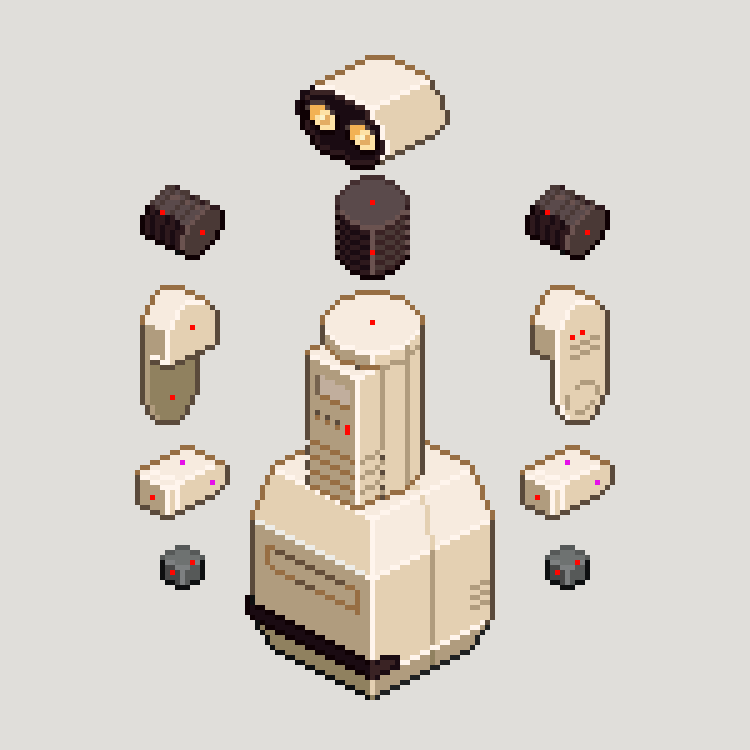
My system worked.
That was the point where all the time spent rebuilding the foundations felt worth it. Even though I hadn’t solved every single problem perfectly, I had created a system strong enough to support a completely new asset when the game design changed.
So, what did I actually learn?
First: check the foundations. Don’t blindly assume an application can generate perfect assets right out of the box.
Second: building the system takes time, but you need to know when enough is enough. You could endlessly tinker if you let yourself.
I’m pretty confident I could make some of this work better if I kept going. But I think that’s the point – when you start searching for issues, that’s when you’ll find them. That’s different from the original inconsistencies I found earlier, because those were fundamental and needed correcting. But once you’ve made every effort to bring something in line with your own rules and standards, you eventually have to stop. Sleep on it. Show it to someone you trust. If it holds up, move on.
I struggle with perfectionism, and it can definitely send me down rabbit holes that take a while to get out of. Sometimes I really do just have to tell myself:
it’s good enough.
And in a project like Box Directive, that matters. Because the goal was never to build the world’s most perfect pixel-art circle system. The goal was to build a foundation strong enough to support the game.
Continue reading: Art Notes #03 – Designing the Level 1 Label Printer
Gotta love GARY!