

The consumable system
Hey, Jamie here, and this week has been entirely about consumables. On the surface, it is a fairly straightforward system: a station has a set number of uses, you eventually run out, buy a refill through the Catalogue, install it and carry on packing. Simple enough.
What I underestimated was just how far that simple idea would reach across the game. The consumables system cuts across the packing stations, the Catalogue, player cash, save data, progression, future skills and eventually the Robot. It has taken pretty much a full week to get the first pass working, but it has also been one of those systems where you can see the game becoming a little more complete with every step.
Consumables were not really introduced because something was broken. They are there to change the rhythm of the early and mid-game. If the player can simply repeat the same manual packing process forever, there is a risk it becomes a bit too ‘samey’. Having to keep an eye on supplies, stop occasionally, spend some money and refill a station adds another small thing to manage. More importantly, it gives later automation something meaningful to take away from the player and in turn makes that automation feel more rewarding.
starting ugly on purpose
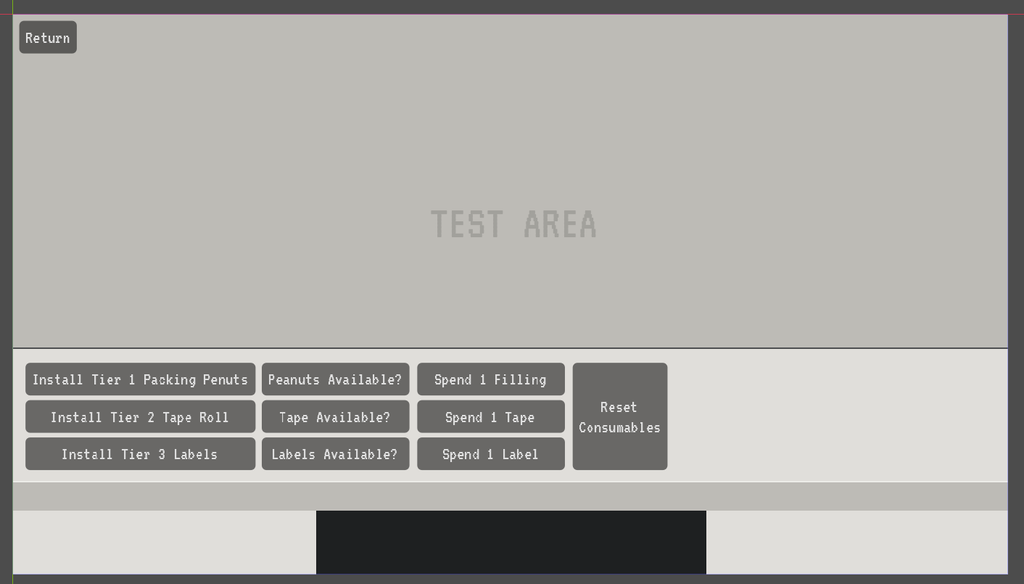
Like a lot of new systems in Box Directive, the first version was not pretty. I started with a simple test area and a handful of debug buttons wired directly into the new consumable manager and its functions. Install, use, reset, check whether the consumable is available. The point was not to make anything player facing yet, it was to confirm the logic worked before I started connecting it to the rest of the game.
That approach sounds basic, but it gives me a much easier way of finding problems. If the underlying functions do not work in this isolated test environment, wiring them straight into stations, menus and save data just makes it harder to understand where something has gone wrong.
making consumables persist
Once the basic functions were working, the next job was making consumables persist rather than something that only existed while the game was running but lost its data when restarting. Consumables were added into the save/load system so a partially depleted station, for example, would still be partially depleted after closing and reopening the game. That sounds obvious from the player’s side, but it is the difference between a test mechanic and something I can then build out into a fully working and playable system.
From there I started wiring the consumables system into the actual packing process. Packing Peanuts went into the Filling Station first, followed by the Tape Wheel at the Tape Station and finally the Label Roll at the Label Station. With temporary debug counters in place, I was now able to see the actual consumable values adjusting in game as I processed boxes.
Each station also needed its own rules. Tape, for example, should not be consumed just because the player picks the tool up, and retries should not accidentally charge multiple uses and eat up consumables. Labels need to stop a new print when the roll is empty, but a label that has already been printed still needs to be allowed to finish the current box. These are small details from the player’s point of view, but exactly the sort of edge cases that can turn into a soft lock if they are not considered.
from stations to the catalogue
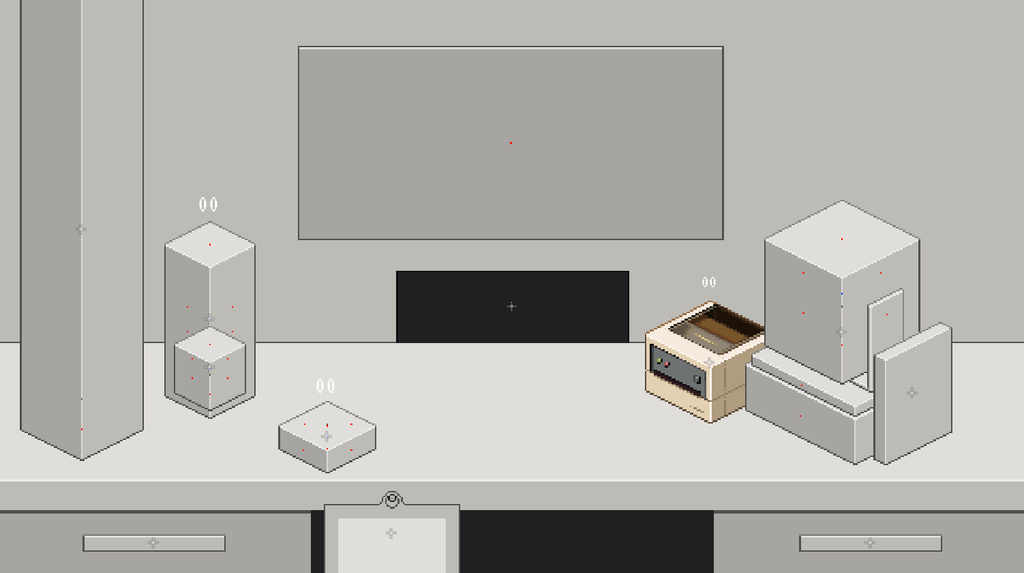
With the stations consuming supplies correctly, the next step was working backwards towards how the player actually gets those supplies. I then added Packing Peanuts, Tape Wheels and Label Rolls into the Catalogue, initially using placeholder artwork. Behind those rough visuals, the menu was already checking the things that matter: which tiers the player has unlocked, how much each refill costs and whether the player can actually afford it.
The purchase flow then needed another state that had not really existed before: bought, but not yet installed. I ended up calling these ‘waiting consumables’. Once a refill has been purchased, the game records what was bought and which tier it belongs to, blocks the player from buying another copy of the same refill, and saves that state. If the player closes the game before installing it, it is still waiting for them when they come back.
That duplicate purchase check is not especially glamorous, but without it the player could accidentally burn through their cash buying the same refill repeatedly, and the physical delivery system could end up spawning a pile of duplicate objects. It is one of those bits of code the player should hopefully never notice, because its entire job is just stopping something going wrong.
The version that worked – and still had to go
The original plan was to have every purchased refill physically arrive in a shared Supply Drop area on the workstation. The refill would appear there, the player would drag it across the desk to the correct station and install it. I built that first pass and it worked. The waiting consumable state generated the physical objects correctly, purchases persisted through the save/load system and the refill objects were tracking their tiers so it was also future proofed for the later consumable tiers being implemented.
Then I actually put it into the workstation properly. To make room for the Supply Drop I found myself moving the Item Station and Filling Station out of the way, which was a fairly immediate sign that we had a problem. There simply was not enough spare space to comfortably add another dedicated area without making the workstation feel cluttered.
After a catch up with Andy, the conversation was basically: this works, but at some point we need to work out where it is actually going to live. Pretty quickly that became a design problem worth solving now rather than something to squeeze in and deal with later.
There is always a mild level of frustration when you have just built something and then immediately decide to change it, but that is also just part of development. Until something is physically in the game, you do not always know whether the idea actually feels right. In this case, most of the hard work was still reusable: the purchase flow, saving, tiers, installation and station logic all stayed. What we were really throwing away was the presentation of that system, not the system underneath it.
a constraint that gave us a better system
The replacement idea was much simpler: instead of sending every refill to one central location, put it directly above where it’s going to be installed… Packing Peanuts now appear above the Filling Station, Tape above the Tape Station and Labels above the Label Station.
That did make the interaction less literal than physically dragging a refill across the desk, but I think it made it better as a game. The workstation stays cleaner, it is immediately obvious which station needs attention, and the refill itself adds a little movement to an otherwise fairly static area of the scene.
It also forced us to think again about the future Robot. If the player could simply click a refill above the station and instantly fix the problem, the Robot would actually be slower: it would have to travel across the workstation to perform something the player could do in a fraction of a second. So the manual install became a deliberate click and hold interaction. A progress bar fills underneath the refill, releasing early resets the progress, and completing the hold installs the new supply.
That small bit of friction gives the Robot something valuable to remove later. The player will have spent the early game manually watching supplies, buying replacements and holding to install them. Once the Robot is built, the plan is for it to manage those installs automatically and faster than the player can. If the manual version was effortless to begin with, automating it would not feel anywhere near as rewarding.
From debug buttons to a complete loop
By the end of the week, the full first pass loop was finally running end to end. A refill can be bought through the Catalogue, the game records it as waiting, the Catalogue blocks another purchase, the correct prompt appears above the correct station, the player holds to install it, the station receives the full number of uses for that tier and the waiting state is only cleared and saved once the install actually succeeds.
Seeing that entire process working on screen in the redesigned form was great to see. The system still has placeholder artwork and will need proper animation, sound and visual polish later, but the gameplay system itself is now there. At this stage I am happy to leave it alone until players get the chance to try it and feedback on how it actually feels when they test it during the demo phase.
That is probably the bit I enjoyed most about this week. A feature that looks fairly small to the player ended up touching a surprising amount of the game, then hit a design problem after the first version was already working, and still came out the other side in a form I prefer to the original idea. Some code inevitably ends up on the cutting room floor, but in this case the majority of the work survived and the redesign gave us a cleaner workstation, a more obvious player interaction and a better reason for the Robot to exist.
what happens next
For now, I am calling the core consumables system complete. That does not mean fully finished: the station artwork and animation need to be added and link with the consumables, the install prompts need their final visuals and animations and the Robot automation still needs to be built later. But those are elements around a system that now works.
The real balancing question will come when all of Box Directive’s systems are running together in the internal demo. Tier 1 currently gives 15 uses, which feels reasonable in isolation, but I will not really know whether refills happen too often, not often enough, or whether the system needs another progression step before the Robot until people are actually playing and testing the full game loop. That is exactly the sort of thing I would rather tune from player feedback than keep designing in a vacuum.
Next week I get to implement Andy’s new Level 1 Label Station with all its fantastic artwork, boxes get a change of look and how they are delivered into the main scene and along with it the box chute will get its first real pass on the station upgrade system.
Thanks for reading, and I shall catch you next week, but now, I’m off to enjoy my birthday!
I hope your actual job don’t see this. Or your family. Or whichever you’ve been ignoring to get this done. Looks great!!
Haha stop it you